
PLEASE FOLLOW THE BELOW STEPS:
Step One: Go to www.mech5.com:

Step Two: Click 'Register Account'. Then fill in the required details to the new user registration form.

Next please read and accept the MECH5 terms & conditions. Click 'I'm Not a Robot', after click 'CREATE!'
Step Three: An activation email will be sent to your selected email address.
Step Four: Check your emails for the MECH5 Account Activation from noreply@nebulasystems.com
HELP TIP (1): If you can't find the Activation Code email after 5 minutes, please check your email's spam/junk folder. If you still can't find the activation code, type the email address you used to register and click on Resend Code to request a new activation code
Please email support@nebulasystems.com or simply click here to contact us if you are having any issues
EXAMPLE EMAIL:

Step Five: Enter your Email Address and Activation Code into the required boxes. Then click 'ACTIVATE'.
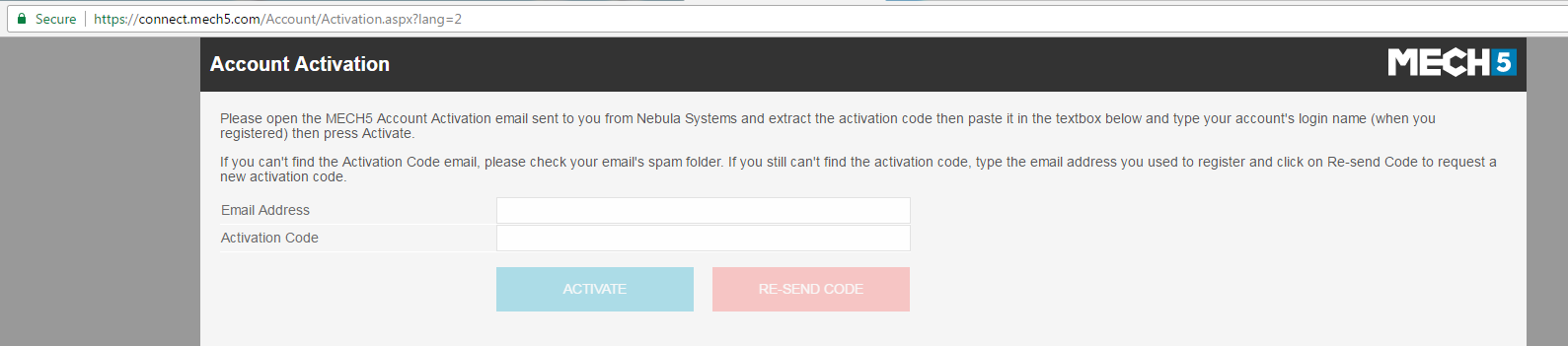
HELP TIP (2):
Q: I have closed the activation page, How do I return back to this?
Go to www.mech5.com and Login
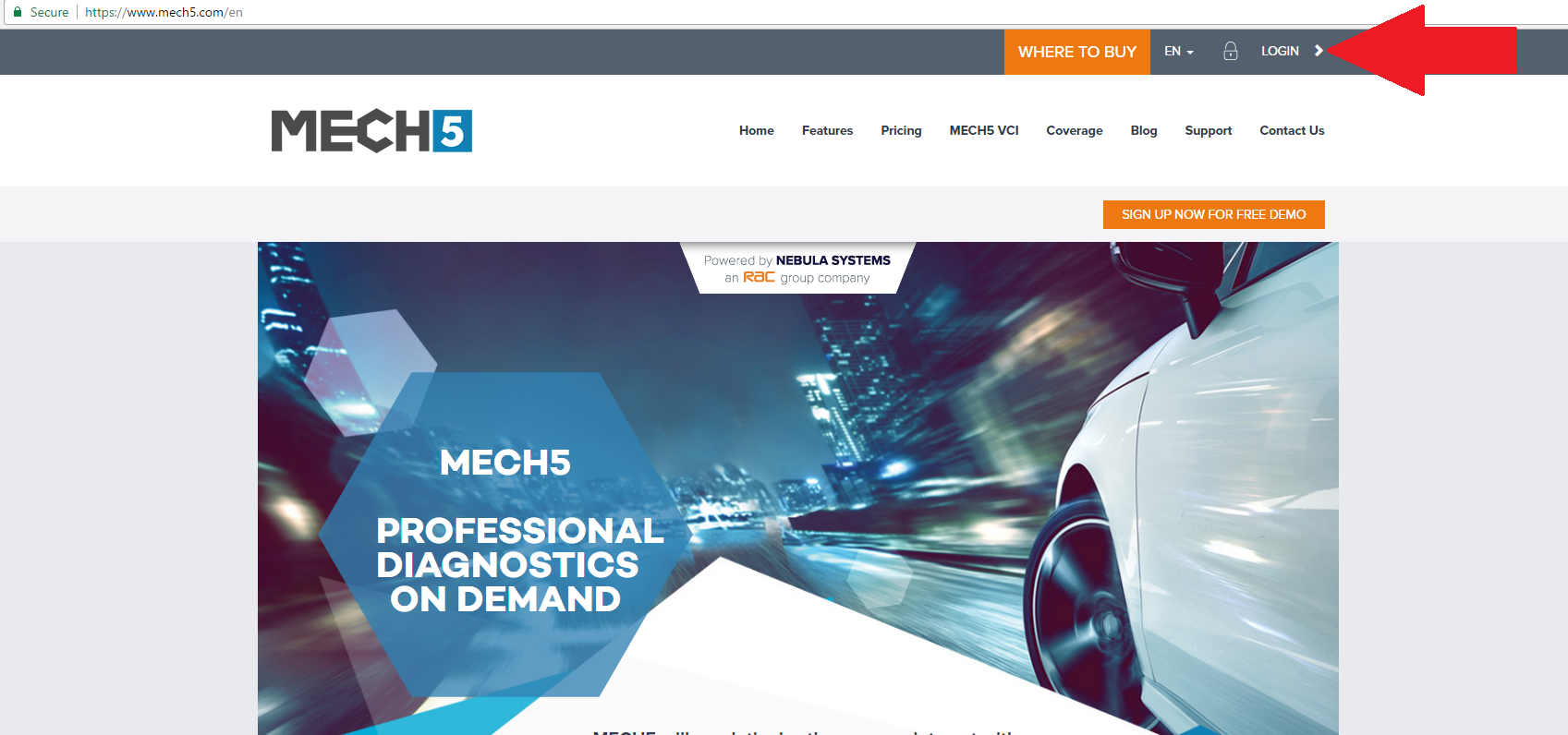
Enter your email address and password. Click 'OK'. (The black activation bar will appear)
Please click the 'activate', this will bring you to the activation page in step five. Please fill in the required details

Step Six: Login into your MECH5 account
Step Seven: After you have login in this will bring you to the MECH5 dashboard.
Please click the help icon in the bottom right hand corner for MECH5 help tips! 

Click here to see the MECH5 Getting Started Guide
If you still have a question after reading this? Please have a look at our other FAQs or simply click here to contact us. Alternatively, email support@nebulasystems.com
Comments
0 comments
Please sign in to leave a comment.